

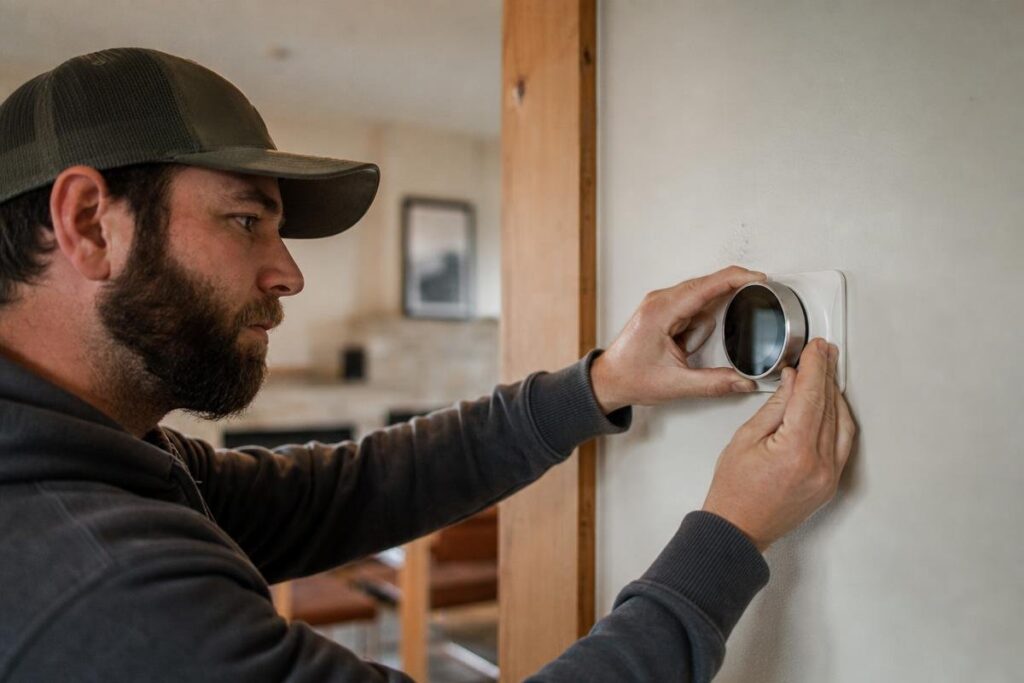
Thinking about smart thermostat installation in Louisville, CO? You’re in the right place. The team at Precision Plumbing Heating, Cooling & Electric has served Louisville homeowners for more than four decades, and we know exactly what these homes need, including the common C-wire gaps that catch a lot of DIYers off guard. A smart thermostat can trim your energy bills and handle the big day-to-night temperature swings the Front Range is known for. We make the whole process straightforward, from checking your wiring to getting your new thermostat connected and running.
Ready to upgrade your thermostat? Our Louisville team can help today.
Key Takeaways
- Smart thermostat installation in Louisville, CO (80027) often requires a C-wire check before you buy any device.
- Older Louisville homes built before the 1990s frequently have 4-wire setups that need an adapter or new wire run.
- Xcel Energy offers rebates up to $75 on ENERGY STAR certified smart thermostats for eligible homeowners (as of 2024, subject to change).
- The region’s dramatic day-to-night temperature swings make smart scheduling features especially useful for managing comfort and energy use.
- A licensed HVAC technician can spot wiring issues, placement problems, and compatibility gaps that DIY installs commonly miss.
Is Your Louisville Home’s HVAC System Compatible with a Smart Thermostat?
Before you buy anything, check your current wiring. HVAC thermostat compatibility comes down to a handful of wire terminals, and knowing what you have saves you a wasted trip to the hardware store. Pull off your existing thermostat faceplate and photograph the wires before you touch them.
How to Read Your Existing Thermostat Wiring
Most smart thermostats need five wires to work correctly. Look for these terminal labels on your current thermostat base:
- R: 24V power from your transformer
- G: Fan relay
- Y: Cooling or compressor
- W: Heat
- C: Common wire, continuous 24V return
If you see all five, you are in good shape. If C is empty or missing entirely, read the next section carefully.
The C-Wire Problem: Why Many Older Front Range Homes Hit a Snag
Homes in Old Town Louisville, from the early 1900s cottages off Main Street to the mid-century builds nearby, were often wired with just four conductors. No C-wire. Without it, a smart thermostat cannot draw continuous 24V power. It will either drop Wi-Fi constantly or, worse, steal power through the heating circuit and damage your furnace control board over time.
You have three fixes:
- Run a new wire from the air handler: The cleanest solution. A technician pulls a new 18/5 cable from the furnace to the thermostat location.
- Use a manufacturer adapter: The Ecobee PEK or Honeywell C-wire adapter repurposes an existing wire. Works well in most cases.
- Choose a power-stealing thermostat: Some models do not need a C-wire. Be aware that power-stealing can cause nuisance trips on certain furnace control boards, especially older systems.
Not sure which fix fits your setup? We can assess your wiring before you purchase anything.
Wondering whether your home has a C-wire?
Heat Pumps, Boilers, and Multi-Stage Systems: Special Compatibility Cases
Standard forced-air systems are straightforward. These are not:
- Heat pumps: Require a thermostat with O/B terminal support to switch the reversing valve between heating and cooling. Not every smart thermostat includes this. If you are weighing a heat pump vs. gas furnace for your home, thermostat compatibility is part of that decision.
- Boilers and radiant systems: Need millivolt or low-voltage rated thermostats. Most consumer smart thermostats are not rated for millivolt systems.
- Multi-stage systems: Require Y2 and W2 outputs on the thermostat for second-stage cooling and heating.
If your system falls into any of these categories, have a licensed HVAC technician confirm compatibility before you buy a thermostat. The wrong unit can cause short-cycling or control board failures that cost far more than the thermostat itself.
Which Smart Thermostat Should You Choose? Nest, Ecobee, and Honeywell Compared
Picking the right smart thermostat comes down to your HVAC system type and your existing smart home setup. Brand recognition alone should not drive the decision. Here is how the three most common options stack up.
Google Nest: Best for Simple Setups and Google Home Users
The Nest Learning Thermostat (4th gen) is a solid choice for standard single-stage or two-stage forced-air systems. It observes your schedule over one to two weeks and programs itself automatically. No manual scheduling required.
One thing to know about Nest thermostat installation: Nest uses a “power bridge” workaround when no C-wire is present. It works in most cases, but it can cause minor HVAC control board issues in some older systems. If your furnace is on the older side, have a technician check compatibility first.
Nest does NOT support millivolt systems or steam boilers. If your home has either of those, skip to Honeywell.
Ecobee: Best for Multi-Room Sensing and Complex HVAC Systems
The Ecobee SmartThermostat Premium ships with a remote room sensor. That matters in larger homes where the thermostat’s location does not reflect the actual temperature in the rooms you use most. Two-story homes in newer subdivisions like North End and Steel Ranch often benefit from this feature.
For homes without a C-wire, Ecobee’s included Power Extender Kit solves the problem cleanly, no new wire required. It also supports heat pumps with auxiliary heat, two-stage systems, and select boiler setups. Compatible with Alexa, Google Assistant, and Apple HomeKit.
If you want to keep up with routine care, our HVAC maintenance checklist for Colorado homeowners pairs well with Ecobee’s detailed energy reports, which give you useful data beyond just temperature control.
Honeywell Home (Resideo): Best for Compatibility With Older Systems
The Honeywell T6 Pro and T9 series prioritize broad compatibility. They support millivolt systems, heat-only setups, and boilers. If you have an older Carrier, Lennox, or Trane furnace and you are not sure how the control board will respond to a newer thermostat, Honeywell is the lower-risk choice.
It is also the simplest programmable thermostat upgrade of the three. Fewer advanced features, but it works reliably with systems where Nest or Ecobee might create control board conflicts.
We can recommend and install any of these brands based on what your specific system needs.
Not sure which model fits your system?
How Smart Thermostat Installation Works: A Step-by-Step Overview
A smart thermostat installation is a manageable DIY project for many homeowners. But older homes, especially those built in the 1970s and 1980s, can throw surprises at you. Here is exactly what the process looks like, step by step.
Step 1: Cut Power at the Breaker
Do not just flip the thermostat off. Go to your breaker panel and cut power to the entire HVAC system. Confirm it worked by checking that your furnace or air handler display goes dark. Working on live low-voltage wiring is rarely dangerous, but it can damage your new thermostat before you even finish installing it.
Step 2: Remove the Old Thermostat
Most faceplates pull straight off the wall or release with a single screw. Then unscrew the backplate. Watch for one common issue in older homes: a large drywall cutout behind the old unit. Most new smart thermostats include a wall plate cover for exactly this situation, so check your box before you panic.
Step 3: Photograph and Label Every Wire
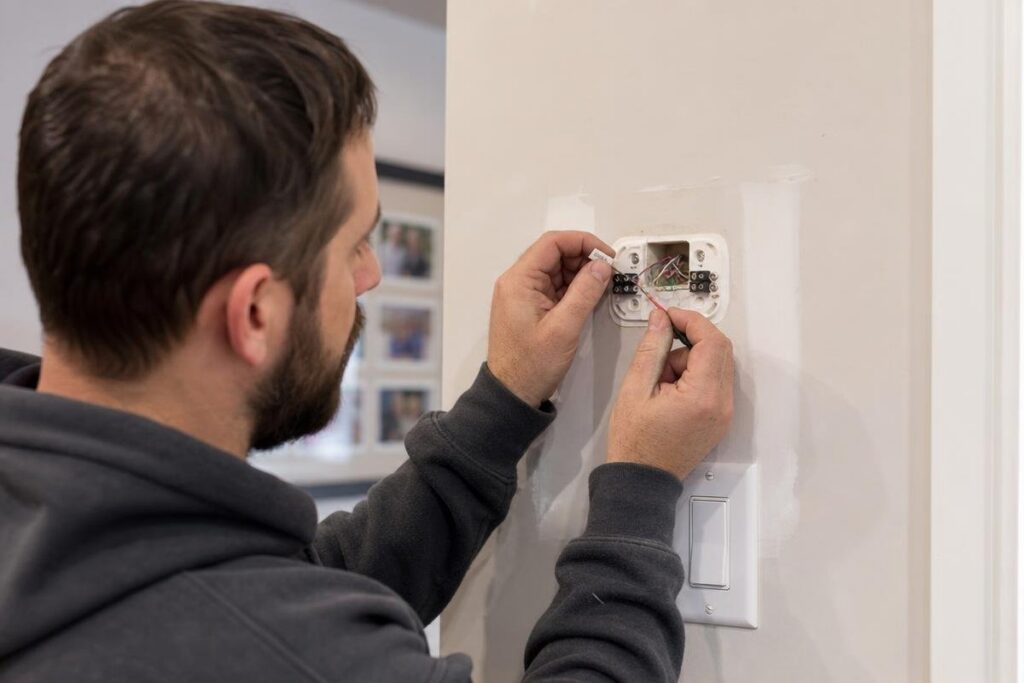
Before you disconnect anything, take a clear photo of the wiring. Use the included sticker labels (R, G, Y, W, C) or a strip of tape and a marker. Label each wire, then disconnect them one at a time. This step saves you from a frustrating guessing game later.
Step 4: Mount the New Backplate and Connect Wires
Use the new backplate as a template to mark your screw holes. Level it carefully before drilling. Feed the wires through the center opening and connect each one to its matching terminal. If you are adding a C-wire adapter, follow the manufacturer wiring diagram exactly. A programmable thermostat upgrade only works correctly when the wiring matches the system type.
Step 5: Attach the Faceplate and Run the Setup Wizard
Snap the faceplate onto the backplate, restore breaker power, and follow the on-screen setup wizard. You will connect to Wi-Fi and confirm your system type. Most smart thermostats run a built-in compatibility check at this stage.
When to call a pro: Stop and reach out if you see more than five wires, unlabeled wires you cannot identify, aluminum wiring, or a non-forced-air system like a boiler or radiant setup. Aluminum wiring found in some homes from that era is not a DIY situation. Our HVAC contractor team serving Superior, CO handles these installs regularly and can walk you through your options.
What Does Smart Thermostat Installation Cost in Louisville, CO?
Most homeowners in the area pay between $200 and $500 for a professionally installed smart thermostat. That range covers both the device and the labor. Here is how the numbers break down.
Device Cost vs. Labor Cost: What You’re Actually Paying For
Smart thermostats fall into three price tiers:
- Entry-level (Honeywell T6, Nest Thermostat): $80 to $150. Good for straightforward forced-air systems.
- Mid-range (Ecobee SmartThermostat, Nest Learning Thermostat): $150 to $280. Better scheduling, room sensors, and energy reporting.
- Premium multi-zone systems: $300 and up per unit. Built for larger homes with multiple heating and cooling zones.
Professional installation locally runs $100 to $250 in labor. A simple swap on a forced-air system with an existing C-wire sits at the lower end. C-wire runs, heat pump configuration, or boiler work push toward the higher end. For a full breakdown of what goes into the install process, see our ultimate guide to smart thermostats and their benefits for your home and HVAC system.
What Affects the Final Price
Four things move the price up or down:
- C-wire availability: Older Old Town homes and pre-1990 builds often have 4-wire setups. Adding a C-wire or running new wire adds time and cost.
- System type: Heat pumps and boilers take more configuration than standard forced air.
- Number of thermostats: Multi-zone homes need multiple units. Each one is priced separately.
- Home age and wiring condition: Pre-1990 wiring sometimes needs evaluation before installation can proceed safely.
We give you upfront pricing before any work begins. No surprises on the invoice.
Want to know exactly what your installation will cost? Call our team at (720) 464-4485 and we will give you a straight answer before we schedule anything.
How Much Can a Smart Thermostat Actually Save You on Energy Bills in Colorado?
Yes, a smart thermostat can meaningfully lower your energy bills here. The EPA ENERGY STAR program estimates a properly programmed thermostat saves roughly 8% on annual heating and cooling costs. For a Front Range home spending $150 to $200 per month on HVAC energy, that adds up to $140 to $190 per year. That is real money, not a rounding error.
If you want more ways to cut costs year-round, our guide on lowering your energy bills during peak summer heat covers additional strategies that pair well with a smart thermostat upgrade.
Why the Local Climate Makes Smart Scheduling Especially Valuable
The Front Range sees day-night temperature swings of 20 to 30 degrees. That diurnal range is much wider than most U.S. climates. A schedule-based setback timed to those swings cuts unnecessary furnace and AC runtime more effectively than it would in a milder region.
At roughly 5,300 feet with 300-plus days of sunshine, afternoon solar gain can heat a home fast, even in January. Without smart scheduling, your furnace may fire right before that solar warmth kicks in. A thermostat with occupancy sensing and adaptive scheduling catches that pattern and adjusts automatically.
Rebates and Incentives Available to Local Homeowners
Xcel Energy, the primary utility serving the area, offers rebates up to $75 on ENERGY STAR certified smart thermostats for qualifying models (as of 2024, amounts and eligibility subject to change; confirm current terms on the Xcel Energy rebates page). Boulder County’s EnergySmart program adds additional efficiency incentives on top of that.
Both Ecobee and Nest are ENERGY STAR certified and qualify for these programs. Rebate amounts change annually, so check the utility and EnergySmart Colorado directly before purchasing. A programmable thermostat upgrade combined with available rebates can shorten your payback period significantly.
Not sure if your model qualifies for a rebate?
Smart Thermostats and Louisville, CO Homes: Local Conditions That Matter
Not every home is the same, and that matters a lot for smart thermostat install in Louisville, CO. The age of your home, your HVAC system, and even where the thermostat sits on the wall all affect how well the upgrade performs.
Older Louisville Neighborhoods and Wiring Age
Homes in Old Town Louisville range from early 1900s builds near Main Street to mid-century construction. Many have 4-wire thermostat setups with no C-wire. That alone can stop a DIY install cold.
Wiring age is only part of the picture. If your furnace or air handler is pushing 15 to 20 years, a new thermostat will not deliver the efficiency gains you expect. A smart thermostat paired with a system near the end of its life is like putting new tires on a car with a failing engine. We check how long an HVAC system typically lasts in this climate as part of every professional installation. If your system is showing its age, we will tell you before you spend money on an upgrade that underdelivers. You can also review our furnace replacement tips for homeowners to understand what to watch for.
Coal Creek Ranch homes from the 1980s and 1990s often have better wiring but aging HVAC equipment. HVAC thermostat compatibility checks are always worth doing before you buy anything.
How the Dry Climate Affects Thermostat Placement and Performance
Indoor humidity along the Front Range can drop below 20% in winter without a whole-home humidifier. Ecobee models include humidity sensing and can connect directly to humidifier controls, which makes them a strong fit for the dry air common in homes near Coal Creek and throughout the 80027 area.
Placement matters too. South-facing windows generate strong afternoon solar gain that skews temperature readings. Exterior walls in older homes create draft interference. A licensed technician assesses both during installation, something a DIY approach routinely misses.
Frequently Asked Questions
Can I install a smart thermostat myself, or do I need a licensed technician in Colorado?
DIY is legal for standard 24V low-voltage thermostat wiring. If your system is a simple forced-air furnace with existing wiring, swapping the thermostat yourself is allowed. But running new wire through walls, working with heat pump O/B wiring, or touching the HVAC control board is a different story. A miswired control board can cost $300 to $800 to repair. When in doubt, call a licensed tech.
How long does a professional smart thermostat installation take?
A standard forced-air swap takes 45 to 90 minutes. If your home needs a C-wire run, or you have a heat pump, multi-stage, or zoned system, plan on 2 to 3 hours. Our team gives you a time estimate before the appointment so you know what to expect.
Will a smart thermostat work with my older furnace or boiler?
Most smart thermostats work with furnaces made after 1990 using standard 24V control boards. Boilers and radiant floor systems need a thermostat specifically rated for those applications. If your system is a boiler, radiant floor, or a furnace older than 25 years, call us before you purchase anything. The wrong thermostat on the wrong system causes real problems. Our HVAC contractor team serving Longmont, CO handles boiler and heat pump compatibility checks regularly.
What happens if my home doesn’t have a C-wire?
You have three options. Run a new wire from the air handler, which is the most reliable fix. Use a manufacturer adapter kit like the Ecobee PEK or Honeywell C-wire adapter. Or choose a power-stealing thermostat model. Each option has trade-offs depending on your specific system. Older homes near Erie and Broomfield often need a new wire run. We assess your setup and recommend the right approach.
Do smart thermostats work during a power outage?
No. Smart thermostats need power to operate, and your HVAC system will not run without it. Some models have battery backup that preserves settings and displays temperature, but active heating or cooling stops when the power goes out. For more on keeping your system running efficiently year-round, see our HVAC maintenance checklist for Colorado homeowners.
Is a smart thermostat worth it for a home in Louisville, CO?
For most homeowners here, yes. The dramatic day-night temperature swings make schedule-based setbacks genuinely effective. Utility rebates up to $75 shorten the payback period to roughly one to two heating seasons on a mid-range model. Heat pump homes see some of the strongest savings through optimized defrost cycles and auxiliary heat lockout.
Ready to Get Started with Precision Plumbing Heating, Cooling & Electric?
Call (720) 464-4485 to speak with our team directly. We’re ready to answer your questions, walk you through your options, and help you find the right solution for your needs. Whether you’re just starting to plan or ready to move forward, we’ll make the process simple and stress-free.
Reach out today and let’s talk about how we can help.